Wednesday, 13 November 2019

Unity Free Tutorial


Hello
Welcome to my blog
Toady for the unity tutorials  I’m looking over tutorials I found online that will help me make own game. I’m making a fighting game so I’m looking through videos that will show me how to make a fighting game.

The first video. I looked at was “how to make a 3d fight game in unity”  https://www.youtube.com/watch?v=1wn5Ur1_vKg. This is a long video that goes through the whole process of making a fighting game. There’s a lot that goes into a fighting game and this video is giving me and I need. From this video I’m learning how to give the player a health bar and how to deal damage to the npc.

The next video I looked at was “creating a street fighter game with unity -01 importing models and animations”   https://www.youtube.com/watch?v=vUR7hzamTRs
Street fighter is the type of game I want to make and this video showed me how to make that type of fighting game. There is a whole video series about this and I will be looking though each one. This will video help me with the basics of making a fighting game and how to add models and animations for my game .
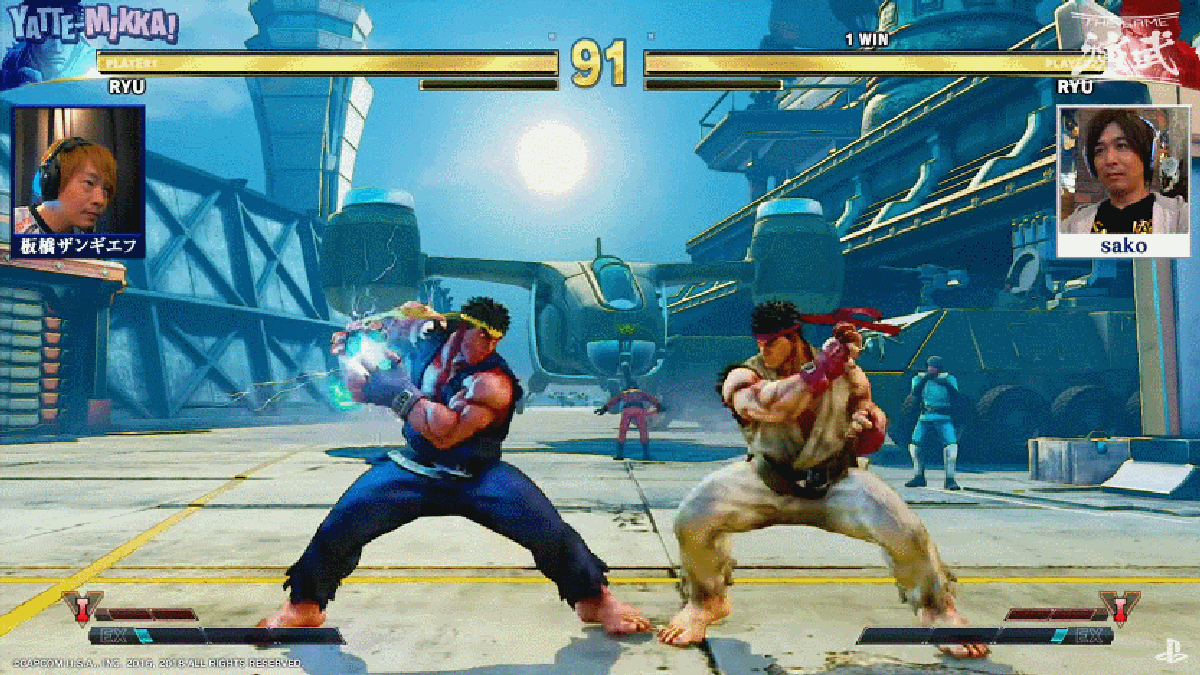
Image result for street fighter 
Overall these two videos are helping me to make the type of fighting game I want.


Tuesday, 12 November 2019

Game Fun


                      What makes games fun

Hello
Welcome to my blog
Making a game fun is the most important element of a game. If players don’t find the game fun they won’t play it. The readings I looked at that tell me about how to make a game fun.

The first reading was an article called “Natural Funativity” by Noah Falstein.  https://www.gamasutra.com/view/feature/130573/natural_funativity.php This article talks about all the elements that makes a game fun. It talks about how survival games are the best examples of what makes a game fun. Games can also be fun through the social aspect of it. As players can play with other players online which makes the game more fun.
Image result for people playing video games having fun

The next reading was “Hearts, clubs, Diamonds, spades: Players who suit muds” by Richard Bartle.  http://mud.co.uk/richard/hcds.htm A Mud is an multi-user domain. This article talks about the type of players who play these type of games and how they interact with these types of games. This games also talks about how players interact with each other in games and this effects how the game is played and how the player thinks. There are list of types of players and they interact with other types of players. Example of this is Achievers players interacting with Socialisers type of players.
Image result for people playing video games having fun

The next reading was “ MDA: A formal approach to game design and game research”  by Robin Hunicke, Marc LeBlanc and Robert Zubex.  https://users.cs.northwestern.edu/~hunicke/MDA.pdf This reading is about MDA which is Mechanics, Dynamics and Aesthetics. This an approach to understanding games and how there designed. Using MDA breaks a game into a long detailed  process. The mechanics of the game are the particular components pf the game. The dynamics are the behaviour of the mechanics acting on the players inputs. The aesthetics our how the game looks and how it effects the player.

The next reading was one I found online called “why are video games fun?’ by Wesley Yin-Poole
https
://www.eurogamer.net/articles/2011-08-08-why-are-video-games-fun. This article talks about what makes video games fun. The main reason why players find games fun is that players get to act like there ideal self. Players get to act the way they want and it gives them freedom to do what they want. 


Tuesday, 5 November 2019

Unity Tutorial 06

                                     Unity game making 

Hello 
Welcome to my blog 
For today I went back to looking a Jimmy Vegas tutorial videos for Unity. I looked at part 9, 10 and 11. 

The first video I watched was part 9. This video talks about how to apply a skybox and you do this by picking an asset for the skybox and then going to windows and then pick lighting. From there go to skybox material and then pick which asset you want for the skybox.
https://assetstore.unity.com/lists/great-free-skyboxes-50975

The next video was part 10. This video talks about how to make a weapon an item you have to pick up. This is started by making a new axe and having the weapon and connect it with a collider and use your script to be able to pick the weapon up.  This video also talks about Fade screens.
https://www.youtube.com/watch?v=UOsRrql9kxw 

The last video is part 11 and it talks about fixing bugs in the game I have made so far. The video also goes into detail into about how to make a fade out screen. It also goes into detail about the environment of the game made so far using the unity tutorials. 
https://mygaming.co.za/news/pc/107609-7-hilarious-video-game-glitches-and-bugs.html

Overall these blogs have helped understand how to use unity and add certain aspects to a game and how to fix creatine problems.

Games Decisions

                                                      online games and decision making  

Hello
Welcome to my blog 
Today I’m looking over some readings to help me make my game. 

The first reading is an article by “LostGarden”. This article is called “social Design Practices for Human-scale Online games” by Daniel cook https://lostgarden.home.blog. This is a long article that goes into a lot detail. This article takes about the process on making a multiplayer game. It also talks about the aspects on what makes multiplayer games work. The article goes into detail about how friends playing  together  online is a big aspect of multiplayer games and how games must make ways for players to play with their friends. It talks about Dunbar’s layers which is “An individual has a highly structured distribution of relationship bonds” So it talks about how people have friends  and those friends have even more friends and this creates a network of people with one person in the centre. The article also talks about social groups and all the elements that go into a social group , game designs that will make online play better for players and for friends to play together. 
https://www.macgamerhq.com/guides/best-online-games-for-mac/

The second reading is “Decisions, Decisions”https://learn.canvas.net/courses/3/pages/level-6-dot-0-decisions-decisions?module_item_id=44556. This reading talks about how decision making are the core of a game. If you remove decision making from  game it’s no longer a game. The fun of game is making a decision and seeing how it turns out.  It also talks about the types of decisions that should not be in games like pointless decisions, obvious decisions and Blind decisions.   
http://www.brandnewgame.com/2013/05/decision-making-in-games/

Overall these two articles when into detail about how to make an online game and how decisions making in a game is one of the most important aspects in making a game. So these articles are helping me make the right decisions to make my game and learn more about game making.

Thursday, 24 October 2019

Unity Tutorial 05

                      Game making with unity 

Hello
Welcome to my blog
Today I’m going through more unity tutorials so I can learn the process of game making. I’m again looking at Jimmy Vegas videos.

The first video of him I watched was part 6 if unity tutorial series.  In this video Jimmy talks about adding more UI elements and to create a dynamic sensor. This requires a lot of work and is a long process using multiply UI sensors.

The second video I watched was part 7 of the tutorial. This video goes into making weapons using animation. This is something new because this is the first time, I used animation in unity. For this tutorial I used an axe for the weapon. I download the asset and then made the axe face the same way as my character did by turning the axe 90 degrees. Then using layering to make the axe doesn’t go through anything.

Image result for game axe
The last video I watched was part 8 of tutorial. This video talks about layering and going through all the layers to use to make the everything in the game works together and none of the objects in the game go through each other.

Wednesday, 23 October 2019

Feedback Strategies

                                 Feedback Strategies 

Hello
Welcome to my blog
Today I’m looking at how to give good feedback. I did this by reading two articles on giving good feedback.

The first article I read was “Five Reasons to Stop Saying "Good Job!" by Alfie Kohn
 http://www.amblesideschools.com/sites/default/files/Five%20Reasons%20to%20Stop%20Saying%20%20Good%20Job!.pdf  This article talks how about saying “good job” is bad and the reasons why.
1.       Manipulating children
2.       Creating praise junkies
3.       Stealing a child’s pleasure
4.       Losing interest
5.       Reducing achievement

All these reasons tell us why telling someone they did a good job to children will affect them in a negative way and it’s not good feedback
Image result for good job

The second article I read was “The Difference Between Praise and Feedback” by mindshift  https://www.kqed.org/mindshift/34778/the-difference-between-praise-and-feedbackthis article talks about how to prise your kids the right way so they will have a growth mindset. You do this by prising a kid’s work progress and not the work itself.
 4294686346_fa10e0e9c7_z

These articles show that you need to give good feedback and you need to give feedback the right way.