Wednesday, 26 February 2020

Unity Tutorial 05

Hello
Welcome to my blog

Today I looked at more unity tutorials. These were found on the unity website. I looked at  "Lesson 2.4 - Collision Decisions" and the challenge "Challenge 2 - Play Fetch". These helped me with my own game making skills.

The first tutorial I looked was "Lesson 2.4 - Collision Decisions" and this was about all about spawns and how to use colliders. I have used spawning in the pervious tutorials but I still learned more from this. In this tutorial looks at colliders and I learned how to use colliders and how to control from unity and not the script. I also learned how to add colliders and to change them using a script.

The second tutorial was a challenge on what I learned from the last few tutorials. I used what I pervious learned to make a little game. For this I had to spawn balls for the dog in the game out of the player and if the balls hit near the dog the ball would disappear. I did using scripts and colliders so this made the game into a fetch game.


Overall this tutorial and challenge have taught me a lot and I have learned how use spawning and to use box colliders and I am able to use these in my further game design.
jamie gannon

unity tutorial 4

                                     Unity Tutorial 4

Hello 
Welcome to my blog 
Today I was looking at more unity tutorials and I was learning more about coding and game design. I looked at tutorials I found on the Unity website and I looked at three tutorials. 
I looked at Lesson 2.1 - Player Positioning, Lesson 2.2 - Food Flight and Lesson 2.3 - Random Animal Stampede.


The first tutorial looked at Lesson 2.1 - Player Positioning in this tutorial it was used to help set up the game and how to get the player to move so this is the simple set up to start the game so it was a good way to start this process.

The second tutorial I looked at Lesson 2.2 - Food Flight  this tutorial goes into more detail. This should me how to use prefabs and and how to use more coding to use items in the game. 

The last tutorial 2.3 Lesson 2.3 - Random Animal Stampede like how to control the spawn of the characters in a game. This is a big part of game design and will help me with my own game making as controlling spawning in a game is important.

Overall this these tutorials  have helped learn important things about game d

reading 4


                                                      Reading 4


Hello
Welcome to my blog

This week I continued my research and looked at few looked at other sources that i was able to find online. the two topics that I am looking at for the book is gameplay analysis and Game Design Tools. So went to look for sources about these online.

I first looked at Gameplay analysis research and i was able to find "Game analysis: Developing a methodological toolkit for the qualitative study of games" by Mia Consalvo, Nathan Dutton this scholar article  talked about methodological toolkit for game design so this article talks about sort of way to approach game design it talks about a few games and how this approach to game design applies to these games and how they were designed. It also goes into detail about how to approach object inventory and other main parts of a game.
http://www.gamestudies.org/0601/articles/consalvo_dutton

The second topic I looked was "Game design tools: Time to evaluate" by Katharine Neil this evaluates game desgin tools and what games will be like without them and games designers use the tools to make the games. So this goes deep into how game design tools work and how important there to game design.
https://pdfs.semanticscholar.org/263c/f45ee9f3280fbad4d09b33d80e77f9ecb798.pdf
Image result for game design tools

Tuesday, 11 February 2020

Unity Tutorial 02

                                     Unity Tutorial

Hello
Welcome to my blog
Today I looked at unity Tutorials I found on the Unity website. I looked at the first three tutorials all about start of making a game.

The first tutorial I looked at was Lesson "1.1 - Start your 3D Engines" This tutorial showed me how to start up unity and how to get set up for my the game I'm making with these tutorials. The second tutorial I looked at was "1.2 - Pedal to the Metal" This tutorial showed how to add objects into the game, how to make the vehicle move and how to control the speed of the vehicle. I also learned how to start using c script. For the third tutorial we started using "1.3 - High Speed Chase" this showed me how have the camera fixed on the player vehicle and how to change the speed of the vehicle and to change the colour tint of the playmode on Unity.


All of these tutorials have helped me start making a game and I have got a better understanding of how the Unity works and how I can use c script to change elements of the game to improve the game and fix problems I have with it.

Jamie Gannon

Sunday, 8 December 2019

Beta

                                          My Game

Hello 
Welcome to my blog  

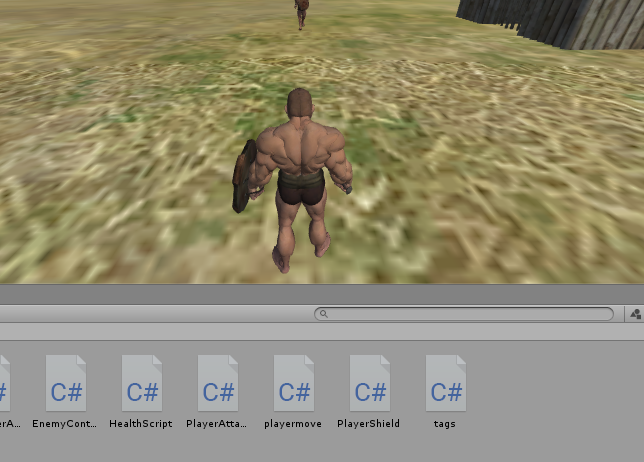
After a long time and a lot of work I have finished my game. I started my game about a month and half ago. I had a lot of ideas for my game I picked a fighting game. I looked at few tutorials online to make a fighting game and I picked one that suited the game I made.  “How to make a 3D fight game in Unity- full tutorial” by freecodecamp.org https://www.youtube.com/watch?v=1wn5Ur1_vKg My game has changed a lot from my original idea which was going to be boxing and MMA game mixed with a pokemon open world but this became too much to put into a game so I just made a standard fighting game. 

I ran into a few problems when making my game but I there is also a lot working in my game. The players moves smoothly and the enemy moves smoothly as well. Also the health bar works the way I wanted it to and it works great for the fighting game. There is a few problems with my game one of them is that the player’s character will walk on top of the enemy and the player will walk on nothing and float above the ground. Another problem is when I tried to add sound to the game that changed how the enemy UI worked. It would stop randomly so it’s problem so I also couldn't have sound in the game so the game isn't completely the way I wanted it to be. 

The plan for this game turned out a lot differently than my original idea and my game still meet some of the targets I had. I wanted the game to have health bar’s and it does. I wanted for my game to have a player fighting AI and that is in the game. I also wanted my game to have an arena and my game also has that.  


Overall I think my game turned out very well. It took a long time to make and I put a lot of work into it as well but the game turned better than I expected and I enjoyed the exp

Thursday, 28 November 2019

Unity Free Tutorials


                                                           Unity Free Tutorials


Hello

Welcome to my blog

For this post I will be looking at more tutorials that will help me with my game that I found online.

The first tutorial video I looked at is “How to make a Health Bar (Unity 2D Tutorial for Beginners)” by Code Monkey https://www.youtube.com/watch?v=Gtw7VyuMdDc this video will help me make health bar for my characters in my fighting game and the video even helps see how make game items like health bars. This video had helped me by letting me see how to control the health bar with the script.

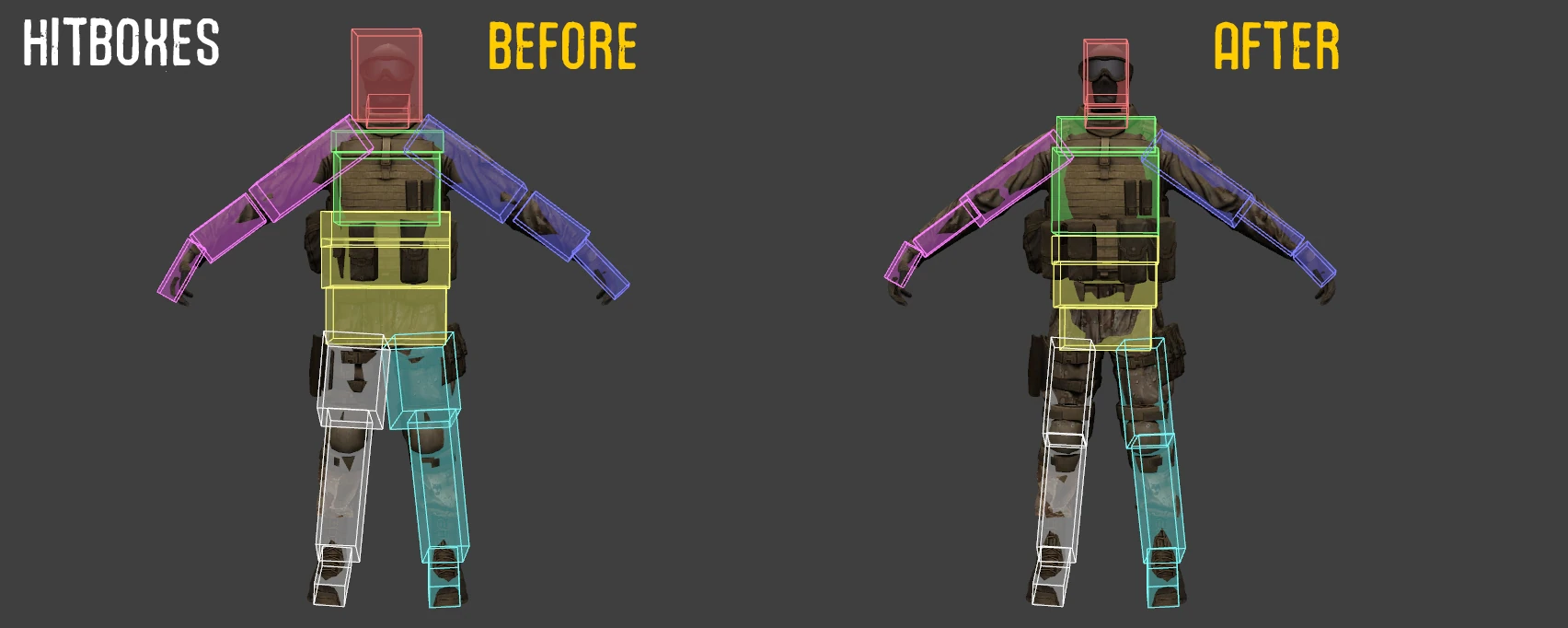
The second tutorial I looked at is “Creating Game Character Hitboxes in Unity” by comphonia https://www.youtube.com/watch?v=VCWIl8WWJF0 this is another video that has helped since I’m making a fighting game.  Having a hitbox is an important part in making a fighting. This video showed how to apply the hitboxes to my characters and apply damage to the characters. This helped as well because it showed me how to apply damage to different parts of the characters body. This makes the fighting game better because you hit characters in different areas of their body making the fighting more fun and challenging.
Image result for hitboxes
So overall both these videos helped me greatly and will help make my game.


Tuesday, 26 November 2019

Games Stories


                                    Story in games


Hello

Welcome to my blog
I will be looking over some readings. I will be looking at articles on the website Gamastura. These articles will have to do with story in games.

The first article I will be looking at is “Into the Woods: A Practical Guide to the Hero's Journey” by Bod Bates. https://www.gamasutra.com/view/feature/130742/into_the_woods_a_practical_guide_.php In this article it talks about the type of story Hero’s journey. It talks about the games that use it like super Mario and the legend of Zelda. The hero’s journey is  “A hero ventures forth from the world of common day into a region of supernatural wonder: fabulous forces are there encountered and a decisive victory is won: the hero comes back from this mysterious adventure with the power to bestow boons on his fellow man.” It also talks about how games with this story need a great villain.

The second reading talks about how game developers need to know more about story and to use in games more. It talks about how games can tell a story in different way compared to other mediums. It says in this article that “story is conflict” and I feel like that is true and is a good way to summarize what a story is.

The additional reading, I read was also on Gamastura. This article is called Should games have stories? By Soren Johnson https://www.gamasutra.com/view/news/191861/Should_games_have_stories.php This article talks about if games actual need a story and how the story and the gameplay would clash. The article goes into detail about how hard it can be to have a story in a game and having a good gameplay in the story as well.

Overall these articles talk about how important it is to have a story in a game and you have to be smart when making it so the story and the gameplay don’t clash.